
Download BMailSolo – Secure Email Backup Tool for Windows
Overview
BMailSolo is a lightweight, trial‑version security program designed specifically for Windows users who need a reliable way to back up their email data. Developed by Softbiz, this tool falls under the Security > Backups sub‑category and has been serving Windows 98 and earlier systems since its release. The current version, 2.0, was last updated on June 30 2006, reflecting a mature codebase that has been tested by over 329,000 downloads.
Although the program is offered in English only, its simple interface makes it accessible even for users who are not tech‑savvy. BMailSolo’s primary goal is to provide a secure, offline copy of your mailbox without consuming excessive disk space, which is a common pain point with many modern backup utilities. Because it is a trial version, the software is free to download and install, allowing users to evaluate its core functionality before deciding on a full purchase.
Its minimal system requirements and modest storage footprint make it an ideal choice for legacy machines that cannot run today’s heavyweight security suites.
Key Features
- Lightweight Design: Requires less than 5 MB of disk space, ensuring it runs smoothly on older hardware.
- Secure Email Export: Saves email messages in a proprietary encrypted format that can be restored only through BMailSolo.
- One‑Click Backup: Users can initiate a full mailbox backup with a single button, eliminating the need for complex configuration.
- Scheduled Backups: Optional timer allows daily or weekly automatic backups, keeping data current without manual intervention.
- Compatibility with Major Clients: Works with Outlook Express, Windows Mail, and other native Windows email applications.
- Trial Mode: Full feature set is available for 30 days, after which a prompt encourages upgrade to the paid version.
- Simple Restoration: Restores backed‑up emails to the original client in just a few clicks, preserving folder hierarchy.
- Basic Integrity Checks: Scans backup files for corruption before restoration, helping avoid data loss.
Installation, Usage & Compatibility
Installing BMailSolo is straightforward, even for users of Windows 98 or earlier. After downloading the installer from the official Softbiz page, double‑click the BMailsoloSetup.exe file. The wizard guides you through a three‑step process: accepting the license agreement, choosing an installation folder (the default location is C:\Program Files\BMailSolo), and confirming the installation. Because the program is lightweight, the entire process typically completes in under a minute.
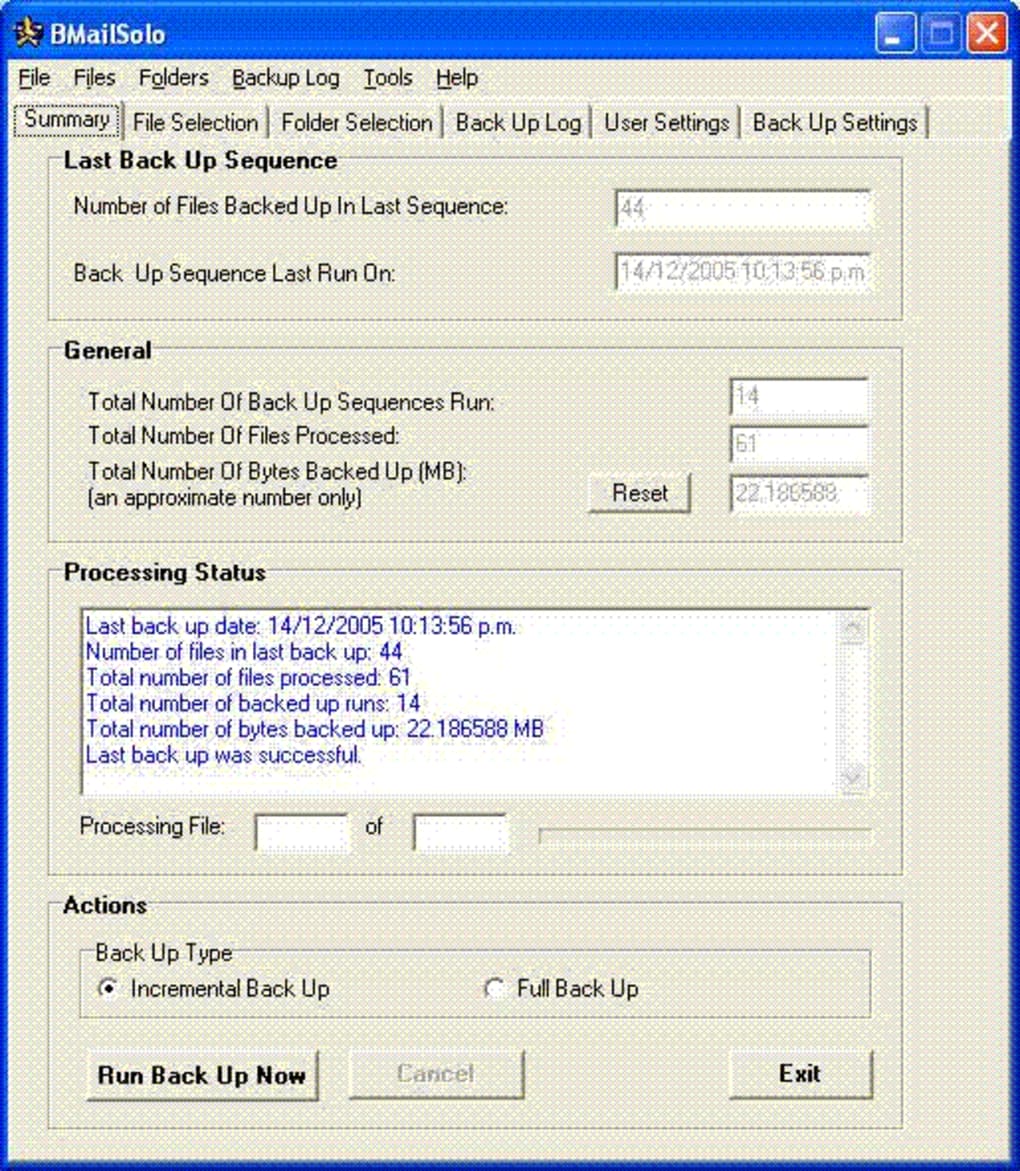
Once installed, launch BMailSolo from the Start menu. The main window displays a clear layout: a “Backup Now” button, a schedule configuration panel, and a status log. To perform a backup, select the email client you wish to protect, choose a destination folder (or let BMailSolo use its default C:\BMailSolo\Backups), and click “Backup Now”. The software automatically detects all mail folders, encrypts the data, and writes the backup file with a .bms extension. If you enable scheduled backups, you can set the frequency (daily, weekly) and the time of day, after which BMailSolo runs silently in the background.
BMailSolo is compatible with Windows 98, Windows ME, Windows 2000, and Windows XP (Service Pack 2 and later). It does not support Windows Vista, 7, or newer operating systems, as the underlying email APIs have changed dramatically. For users on legacy machines, this makes BMailSolo one of the few modern‑looking security tools still functional. The program runs on both 32‑bit and 16‑bit Windows environments, though a 32‑bit installation is recommended for optimal performance.
Usage tips: keep the backup destination on a separate physical drive or an external USB stick to protect against hard‑drive failure. Regularly verify the integrity of your backup files via the “Check Backup” option. If you encounter any errors, the built‑in log provides detailed error codes that can be sent to Softbiz support for quick resolution.
Pros & Cons
Advantages
- Extremely low system footprint – ideal for older PCs.
- One‑click backup and restore simplify the process for non‑technical users.
- Supports multiple native Windows email clients.
- Free trial version offers full feature access for 30 days.
- Encrypted backup format adds an extra layer of security.
- Scheduled backups reduce the risk of forgetting to protect new emails.
Drawbacks
- No support for Windows Vista, 7, 8, 10, or 11.
- Limited to English language interface.
- Proprietary .bms format requires BMailSolo for restoration (no open‑source alternatives).
- Trial version displays occasional upgrade prompts, which may be intrusive.
- No cloud sync or remote backup capabilities.
Frequently Asked Questions
Can BMailSolo back up emails from web‑based services like Gmail?
No. BMailSolo is designed to work with native Windows email clients that store messages locally. For cloud‑based services, you would need to use a separate tool that supports IMAP or POP3 synchronization.
Is the backup file format compatible with other backup programs?
The backup is saved in a proprietary .bms format that can only be opened by BMailSolo. This ensures encryption but means you cannot restore the file with generic archive tools.
What happens after the 30‑day trial expires?
After the trial period, BMailSolo will continue to function, but certain advanced options (like scheduled backups) become disabled until you purchase a license key.
Can I restore a backup to a different computer?
Yes. As long as the destination computer runs a supported version of Windows and has the same email client installed, you can copy the .bms file and use BMailSolo’s “Restore” function to import the messages.
Is the software safe from malware or adware?
BMailSolo is distributed directly by Softbiz and signed with a legitimate code‑signing certificate. It does not contain adware, but it is always recommended to download the installer from the official website to avoid tampered versions.
Conclusion & Call to Action
For Windows users still operating legacy systems, BMailSolo remains a practical and secure solution for safeguarding email correspondence. Its lightweight architecture, straightforward one‑click backup, and encrypted storage format address the core concerns of data loss without demanding modern hardware. While the lack of support for newer Windows versions and the proprietary backup format limit its appeal to contemporary environments, the free trial provides ample opportunity to test its reliability on older machines. If you need a no‑frills, secure email backup tool that runs on Windows 98 through XP, BMailSolo is worth a download and a short test run.
Ready to protect your emails? Download BMailSolo now and start your 30‑day trial. Experience a hassle‑free backup process that keeps your messages safe, even on the most outdated PCs.
Pros: Lightweight, easy to use, strong encryption, free trial.
Cons: No support for modern Windows, English‑only, proprietary format.







